Coffee bean & brew log

Many coffees, one journey.

Keep every bag and every brew in one place. Streamline logging new coffees and your brewing workflow, so that you can focus on improving your next brew and enjoying the one right in front of you.

Coming soon toGoogle Play Soon iPhone version after the Android launch.
Brews with AcaiaBookooDiFluidVariaTimemore scales — or none at all.
Add a bag in seconds

Snap the label. The details fill in.

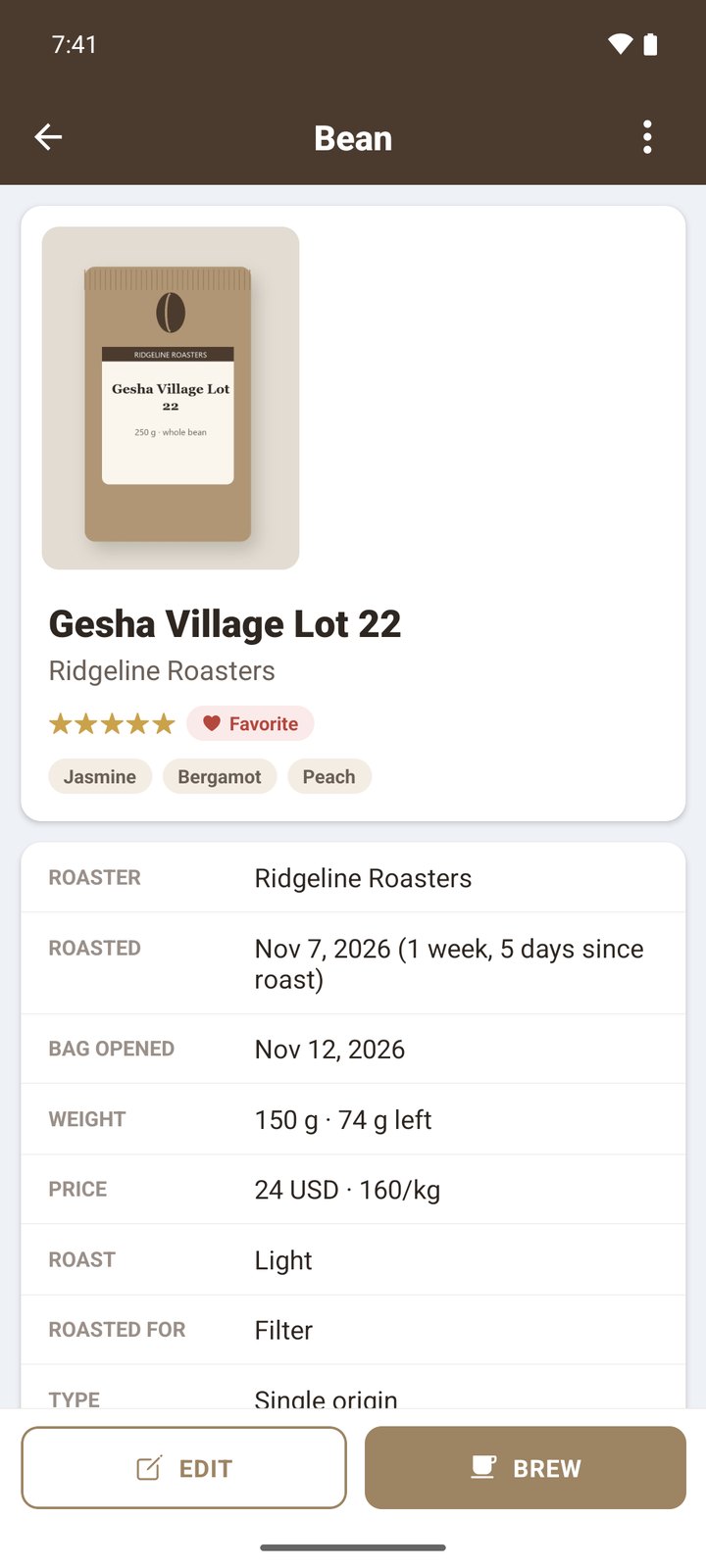
Take a photo of the bag. BeanPad finds the coffee in its roaster archive of thousands of coffees from over 50 specialty roasters: origin, farm, variety, process, roast level and tasting notes.

  • Information from the archive brings in info often not even on the bag.
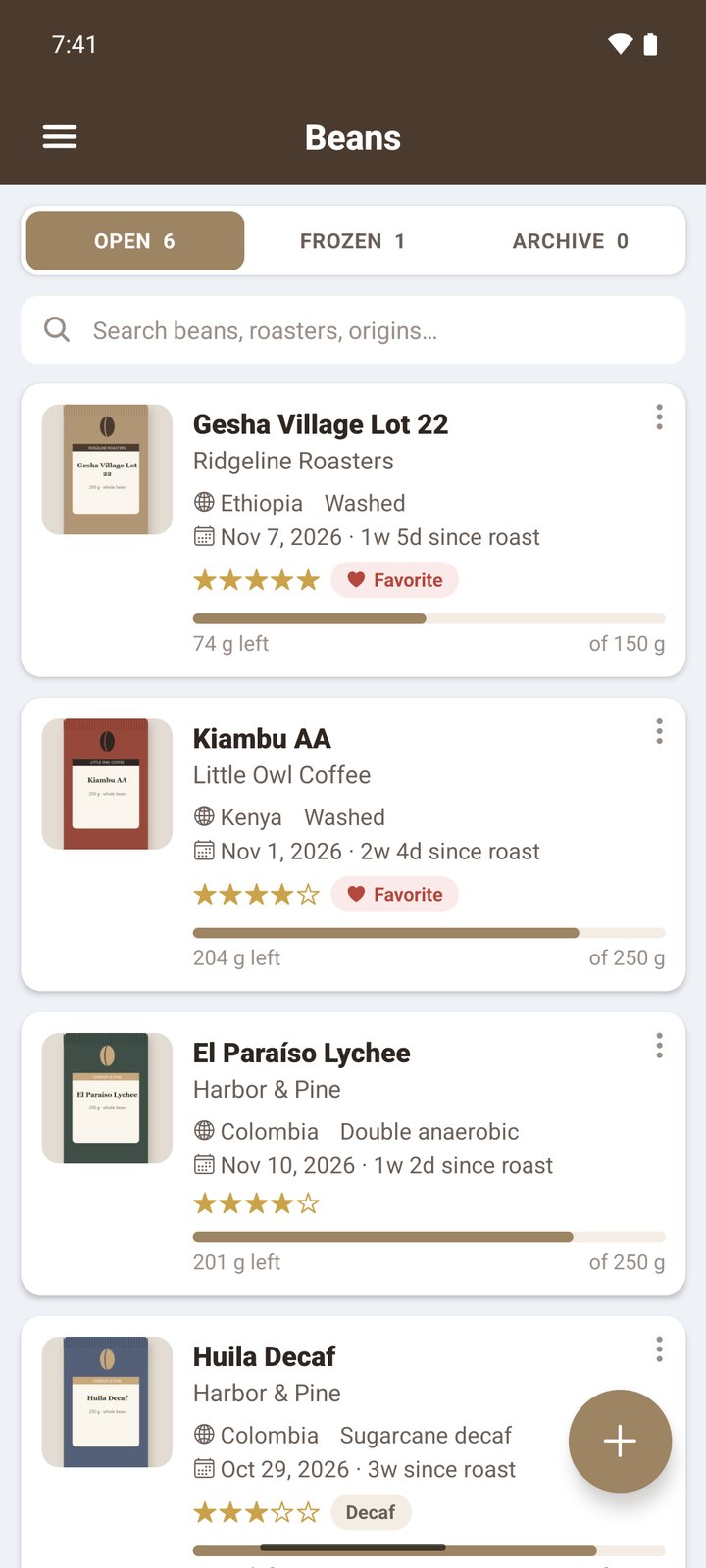
  • Every bag shows time since roast and how much coffee is left.
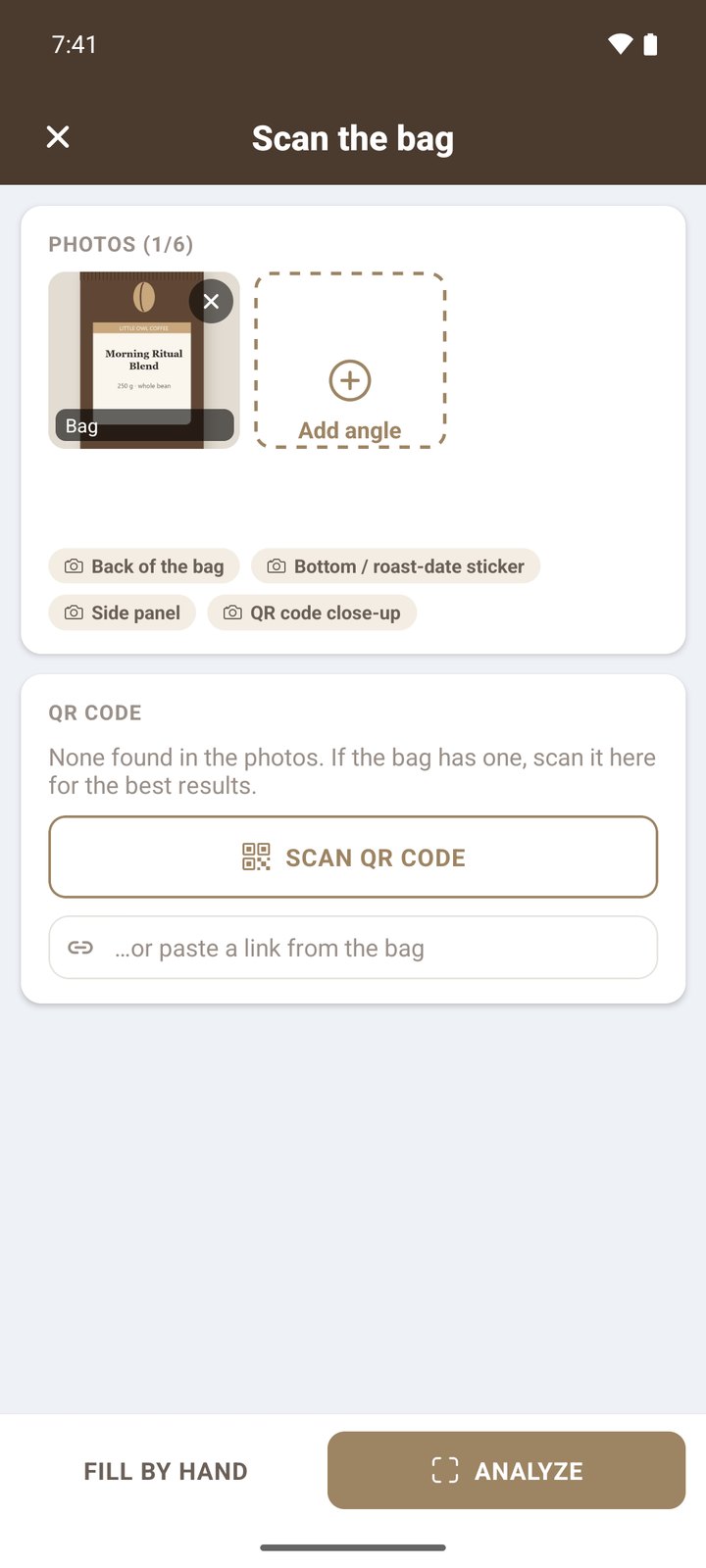
The Scan the bag screen with a bag photo added
A bean's page with roaster, roast date, weight left and tasting notes
Bluetooth scales

Pour. BeanPad keeps the notes.

As hands off as you can get, keeping your hands on the kettle and your focus on your pour.

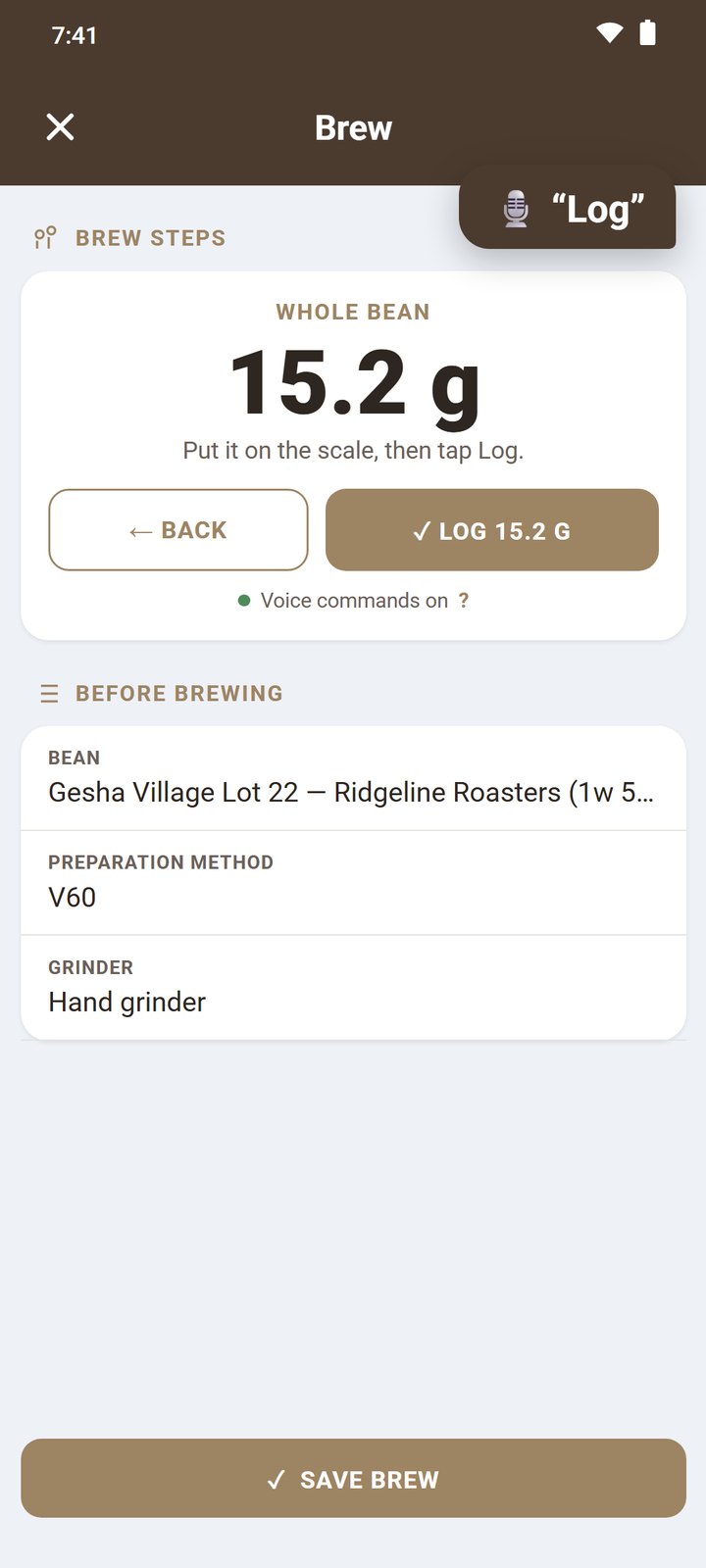
  • Voice commands to log whole bean and grounds weights and to start and stop a brew.
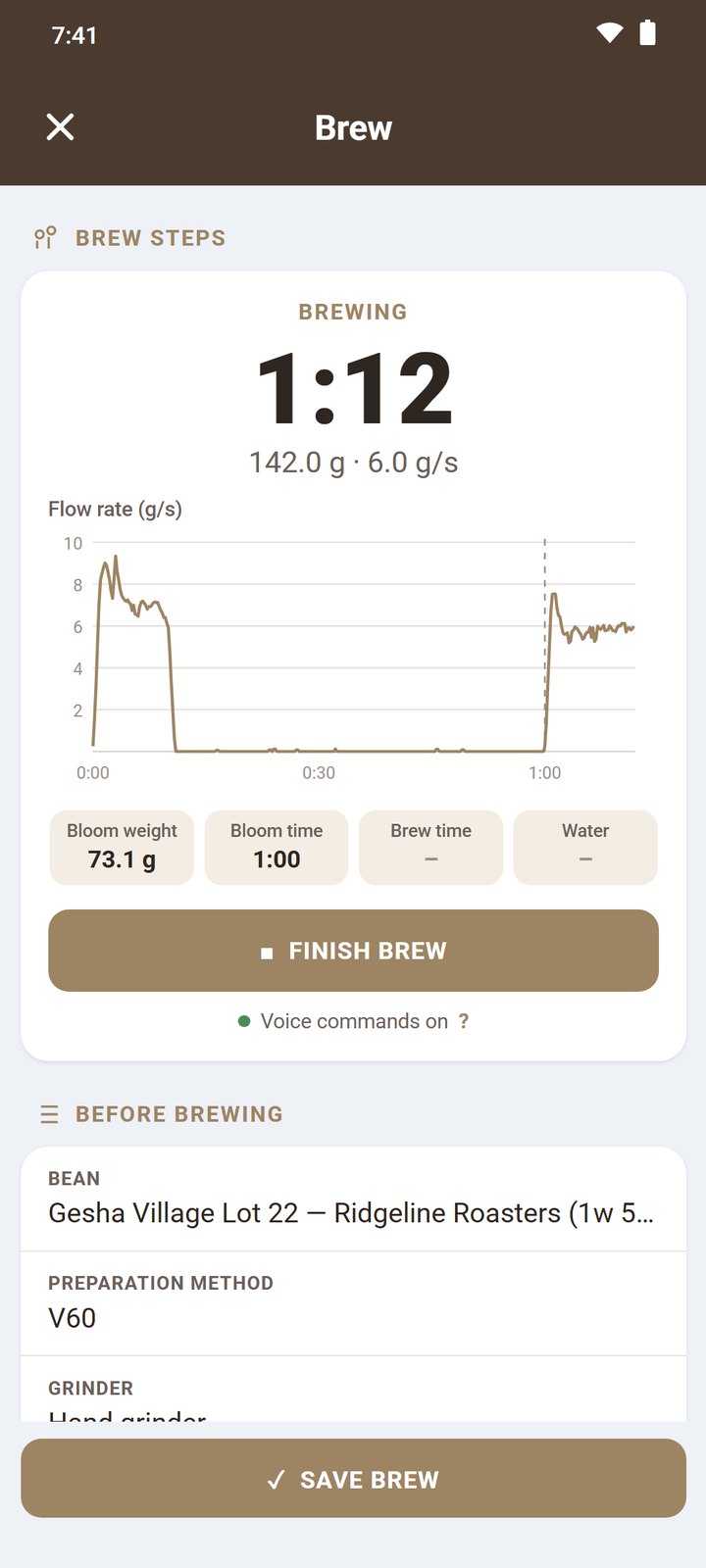
  • Bloom weight and bloom time are caught automatically.
  • Live flow rate while BeanPad logs important metrics like average and peak flow for the bloom and the main pours.
  • Swirl or lift the brewer: accounted for and left out of your flow rate metrics.
Scale screens shown with sample data.
A brew in progress with a live flow rate chart
Weighing whole beans and logging them by saying Log
Say “Beans”, weigh, say “Log”. The phone follows the scale.
Dial in

Better than your last cup.

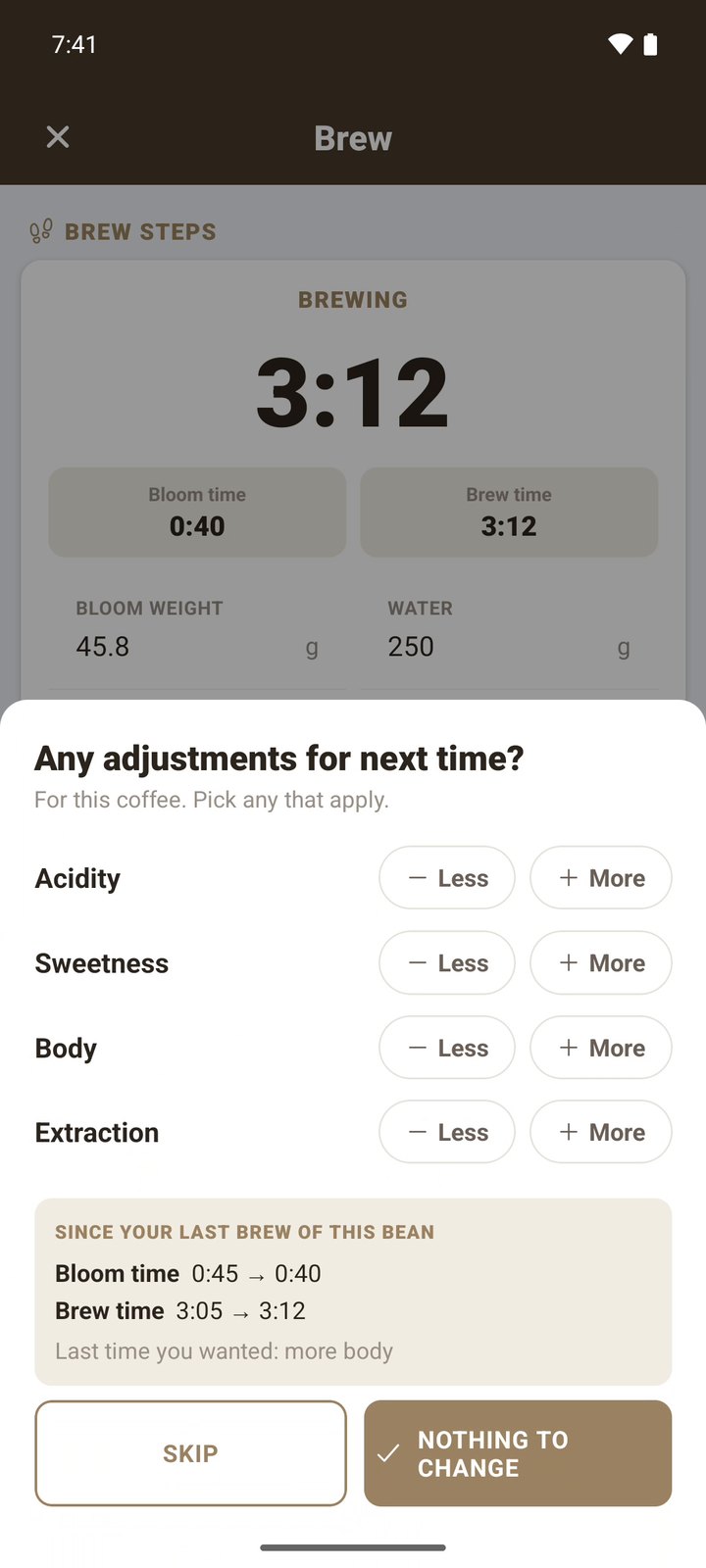
When a brew finishes, BeanPad shows what changed since your last brew of the same coffee — grind, ratio, temperature, times — and asks what you'd change next time: more or less acidity, sweetness, body or extraction.

  • Notes from last brew wait on your next one. Dial in across multiple brews even with a long time in between.
Any adjustments for next time, with what changed since the last brew
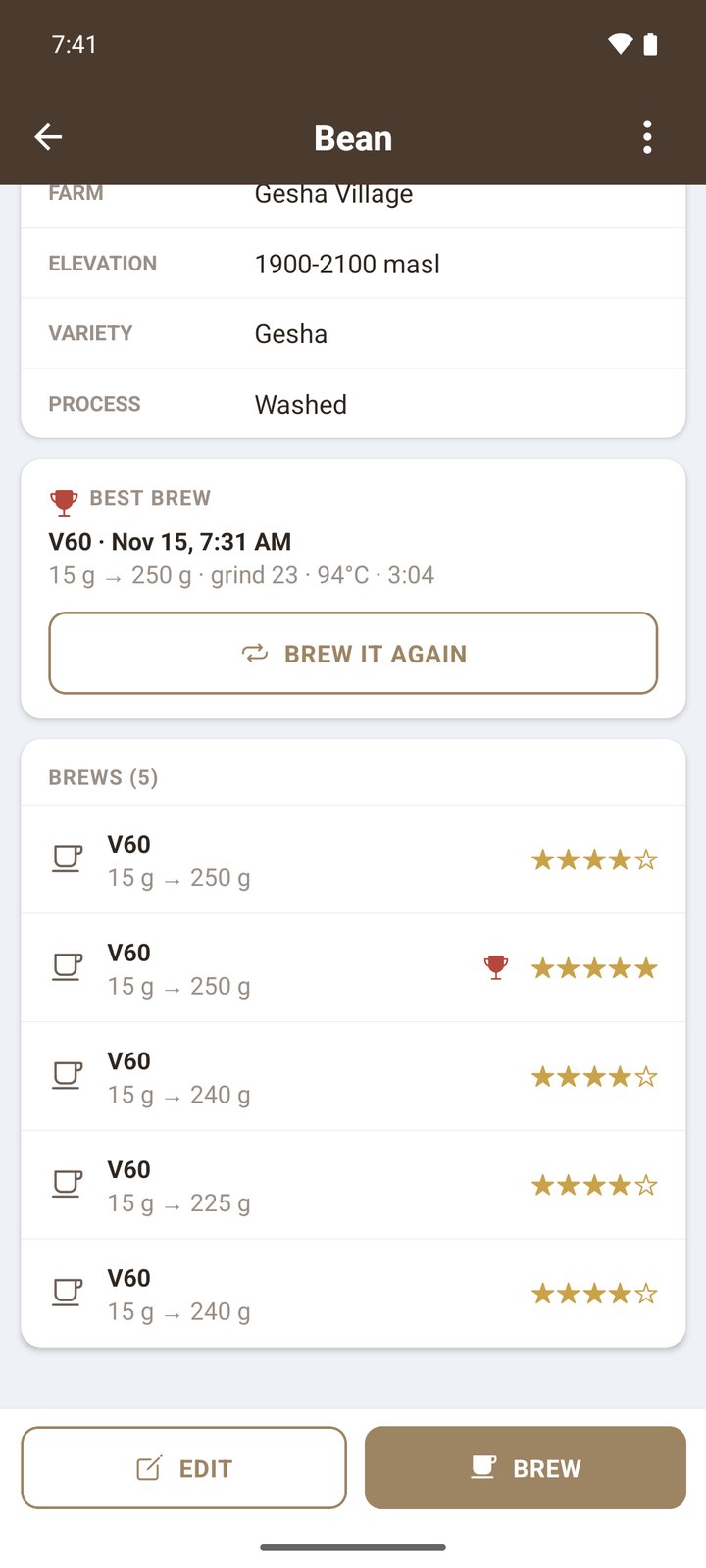
The best brew of a bag with a Brew it again button

Every bag adds to your story.
BeanPad writes while you live it,
cup after cup.

Your beans, brews and photos stay on your phone. No account necessary.

And the rest of your coffee corner

Small things that add up.

Flow charts on every brew

See the shape of each pour on your brew cards, and slide a finger along a chart for the exact time and flow.

Freeze part of a bag

Split off what goes in the freezer. BeanPad tracks how long it's been frozen, and the bag's weight follows.

Your methods and water

V60, Kalita, iced, AeroPress — with pours and bloom ratio. Water profiles with hardness, alkalinity and TDS.

Grinders and settings

Log the grinder, setting and speed for every brew, so a good cup is easy to repeat.

Zip export and import

Take everything, photos included, to a new phone in one file. Coming from another coffee logging app? Bring your history along.

Favorites and ratings

Star your brews and beans, mark favorites, and find any coffee by roaster, origin or name.

Questions

Good to know

Do I need a Bluetooth scale?

No. Without a scale you type the weights in and use BeanPad's timer; tap Bloom when the second pour starts. A scale just does more of the logging for you.

Which scales work?

Acaia (Pearl, Pearl S, Lunar, Pyxis and others), Bookoo Themis Mini and Ultra, DiFluid Microbalance and Microbalance Ti, Varia Aku and Aku Mini, and Timemore Black Mirror, Basic 3 and Dot. Pair it once in Settings and it connects by itself whenever BeanPad is open.

Where is my data stored?

On your phone. There's no account. Export a zip at any time to back up or move to another phone.

Can I bring my data from another coffee logging app?

Yes. Export from your old app and import the file in BeanPad: beans, brews, methods, grinders and water come across, with flow charts and photos when you include them.

When is it out? What about iPhone?

BeanPad is coming to Google Play first. The iPhone version follows after the Android launch.

BeanPad app icon

Brew your next great cup.

BeanPad is coming soon to Google Play, with iPhone to follow.

Coming soon toGoogle Play Soon